
The control room for change on your lines
New equipment through its gates. A line made to perform better. A number hit by a date. Many changes happen on a line at once — Faultline runs each one the way it should be run, measures it before and after, and puts all of them in one view that answers the only question that matters: am I in control?
"Show the business a formal process, to show that I am in control of the project." — the ops lead it was built with
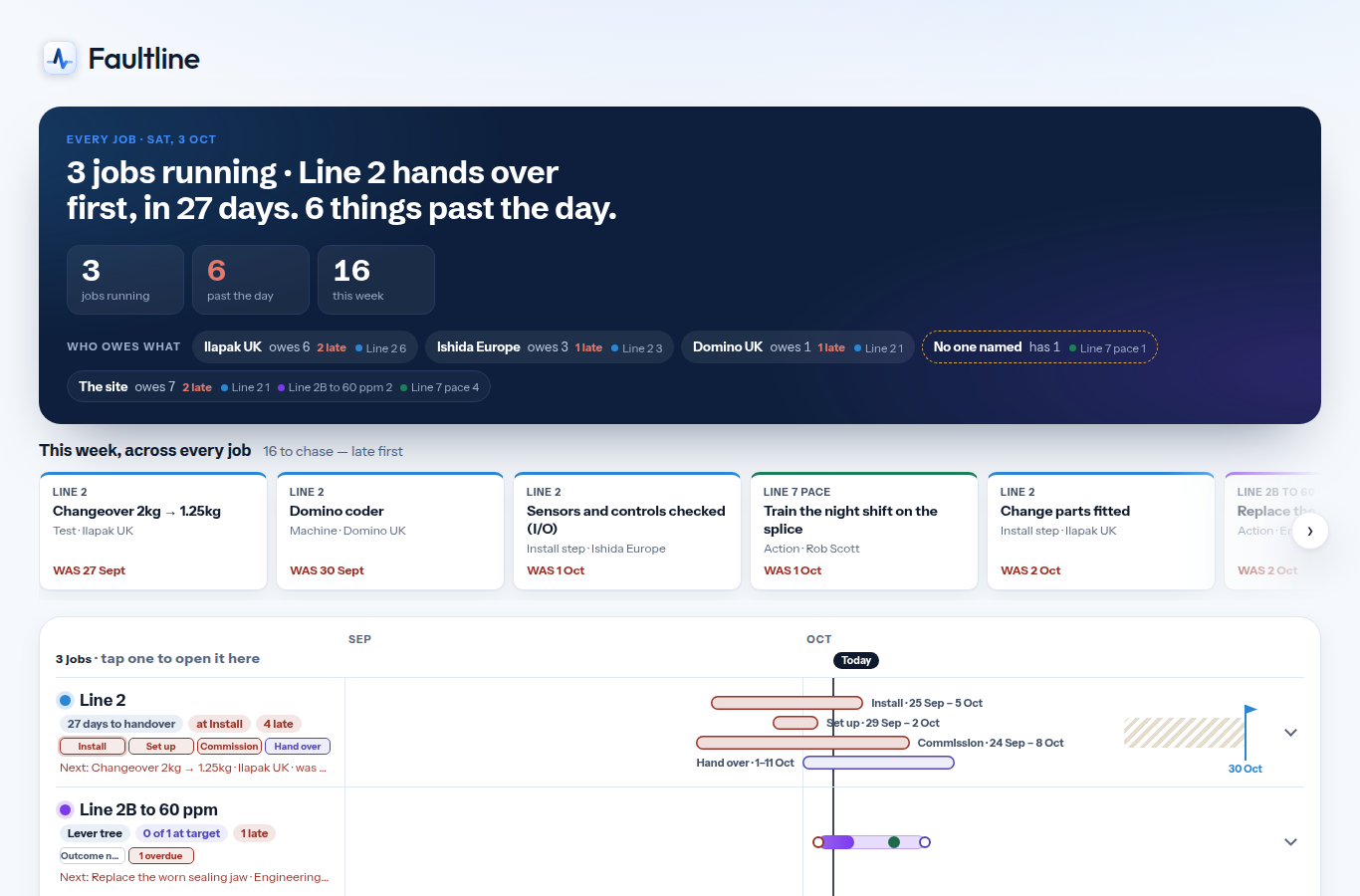
Every job, every line, on one screen
What is running, what is late, and who owes what by when — across all three kinds of change.
Open the app and know where you stand
One sentence says how many jobs are running, which hands over first and how many things are past their day. Who owes what is split by company — the supplier, the site, nobody named — so the chase list writes itself. Each job is a row on one shared calendar.
What it lets you say to your manager: "Three jobs, Line 2 hands over first, and these six things are late — here is whose each one is."
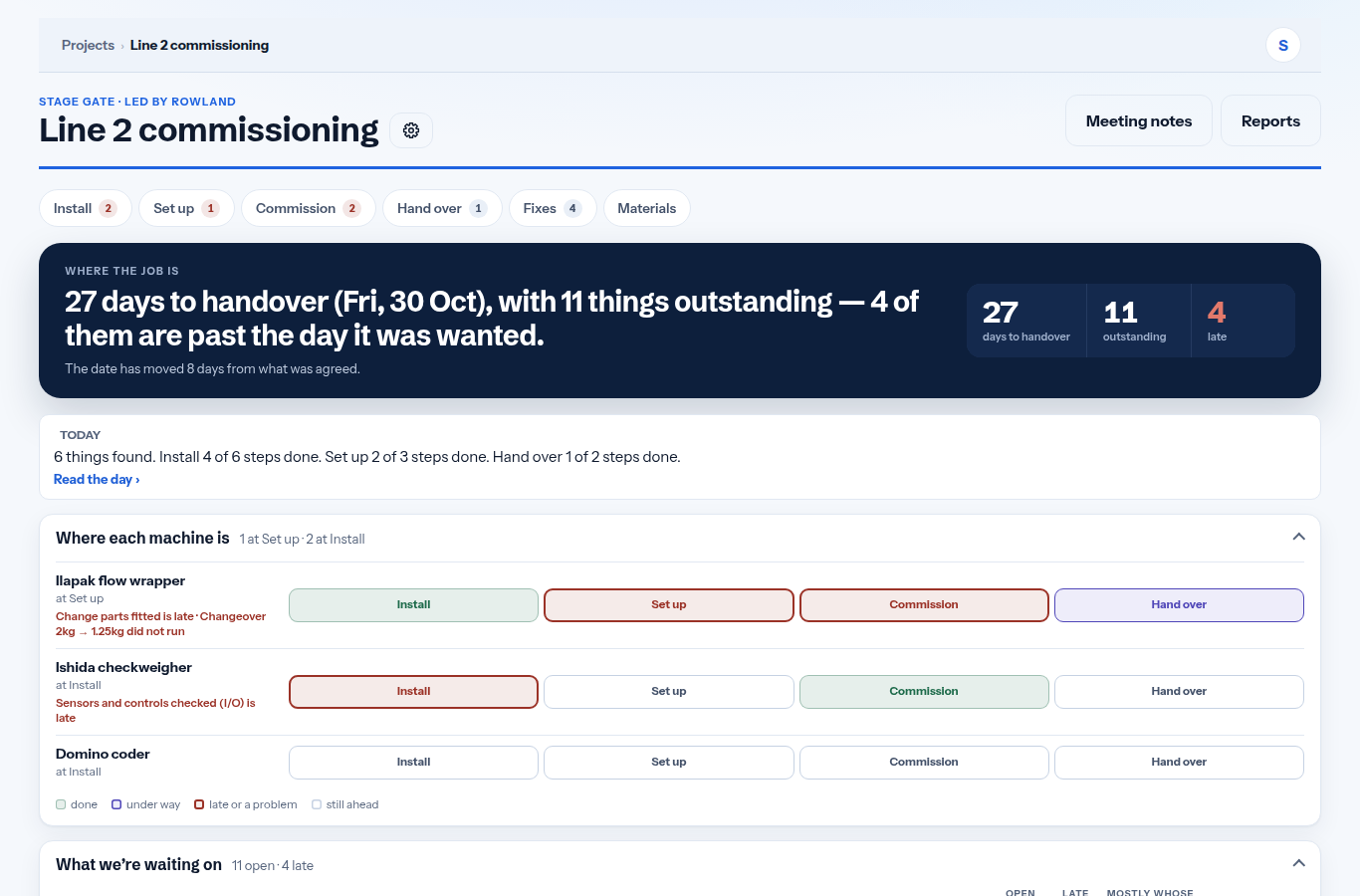
New equipment, proved to what was agreed
Machines through their install stages, tests with agreed pass marks, the fixes they raise, and what the job waits on.
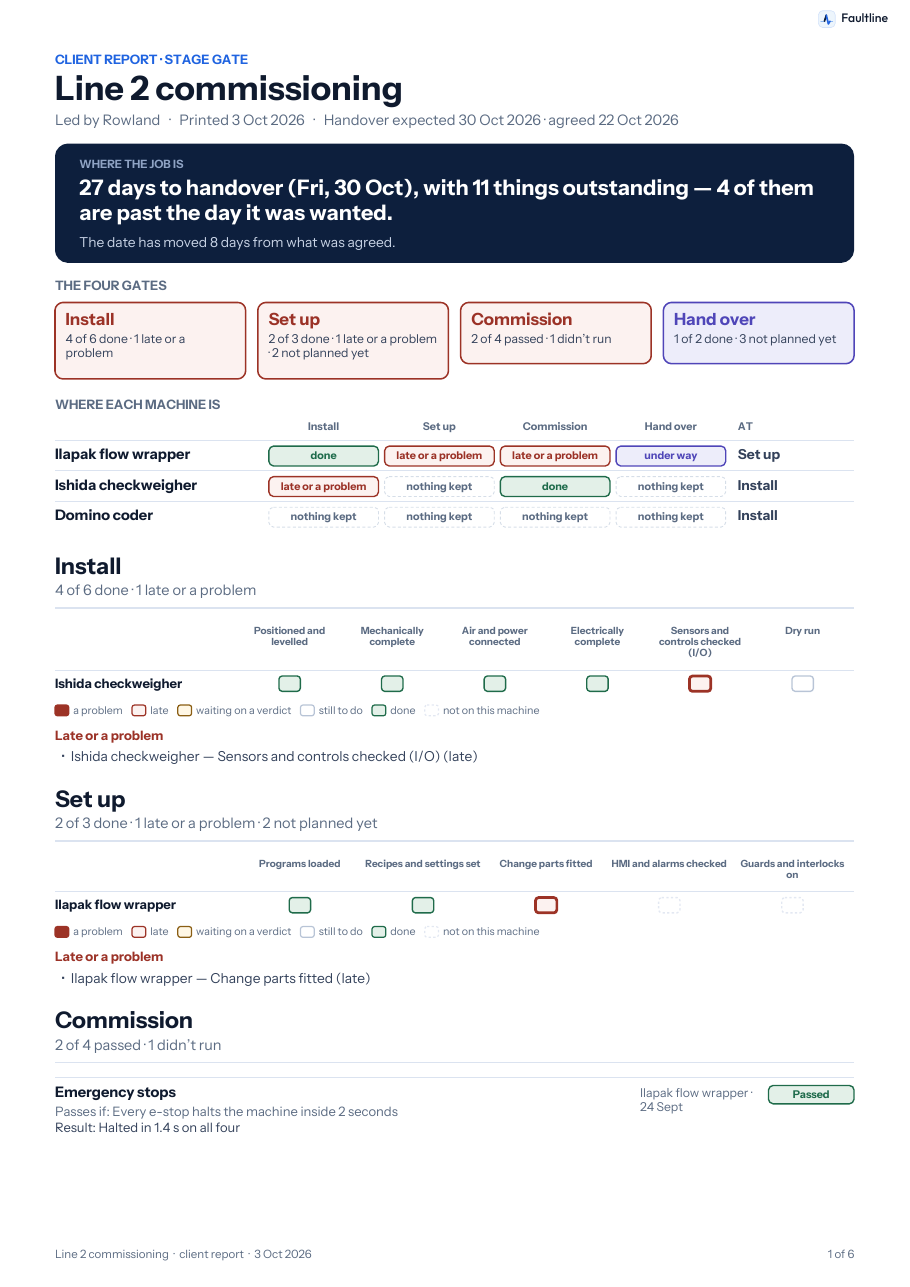
Where the job is, in one sentence
Days to handover, things outstanding, how many are late, and the date's movement from what was agreed. Each machine across the four gates, red only where it is late or failed.
To the supplier: "Two of your three machines have something late, and this is what is holding each one."
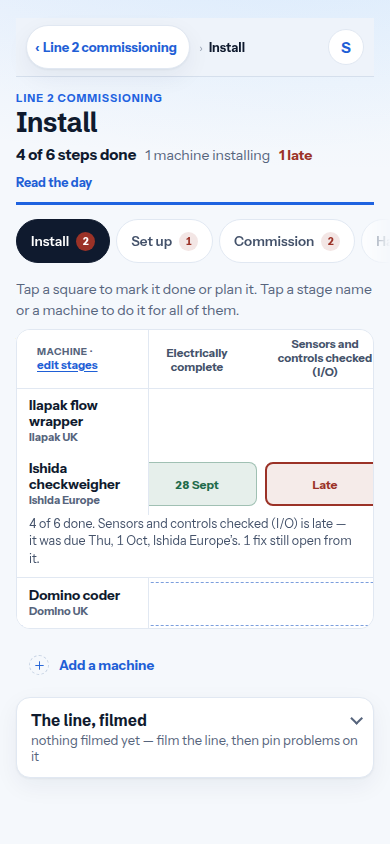
The install grid, on the phone at the machine
Tap a square to mark a stage done or plan it. A date that moves asks why — and the plan, the day's report and the client report all carry the reason.
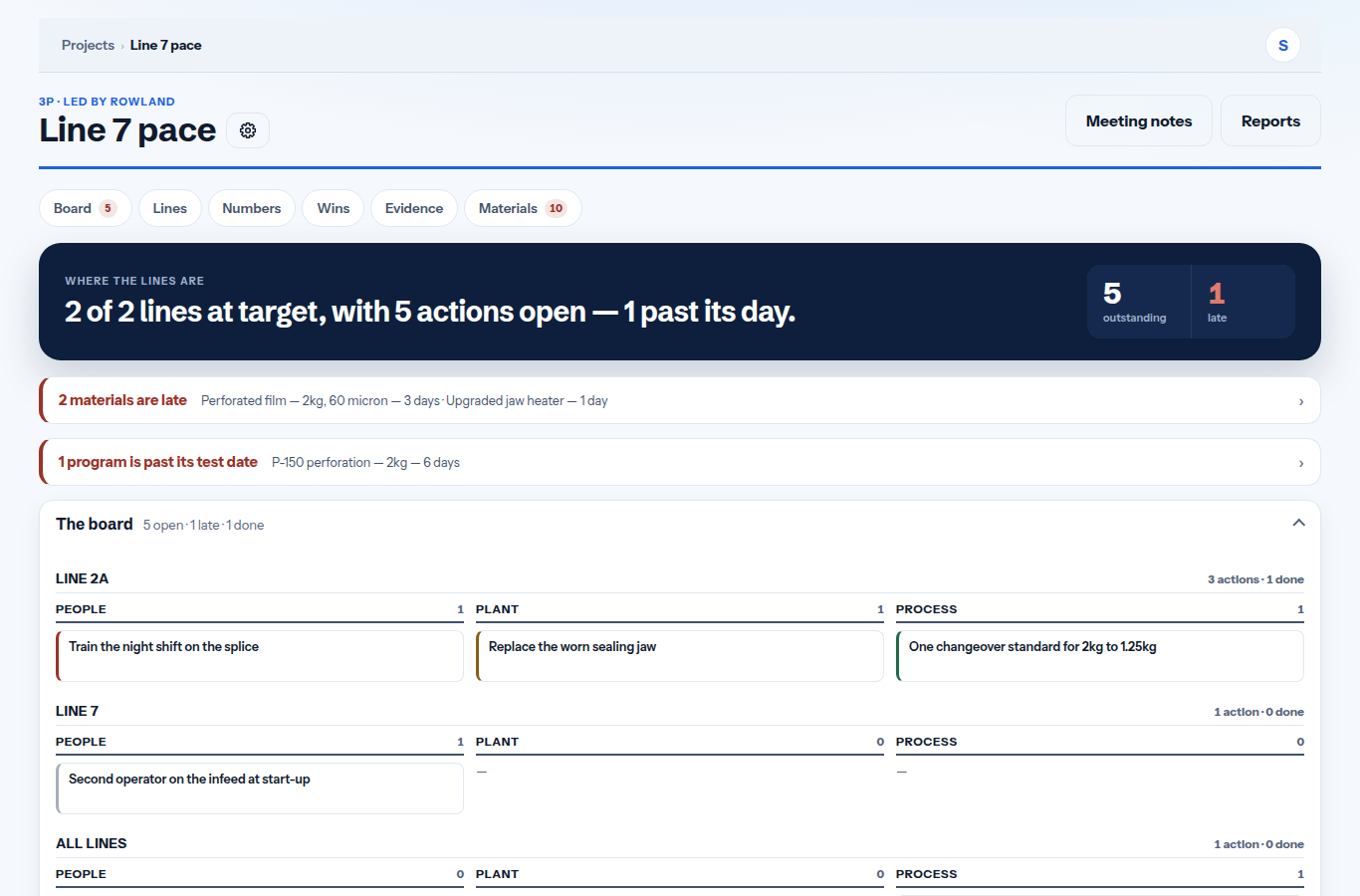
A line made to perform better, week by week
The board is the meeting: every action sorted People, Plant or Process, with an owner and a date.
The lines against target, and the board under them
Each line's number against its target for the period, the actions open on each, and what is late. Done actions are judged by the line's own numbers either side of the day they closed — the verdict is allowed to say not yet proven.
To the sponsor: "Both lines are at target, five actions are open, one is past its day."
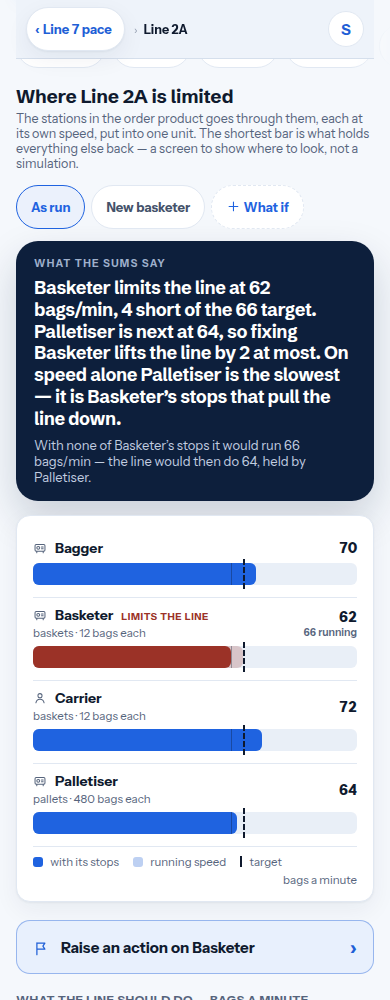
Where the line is limited — and what if
Every machine and person in one unit, the slowest bar is the limit. Make a what-if — a new machine, a second person — and the bars move to show where the limit goes. Make it so, and it lands on the board with the prediction as its reason.
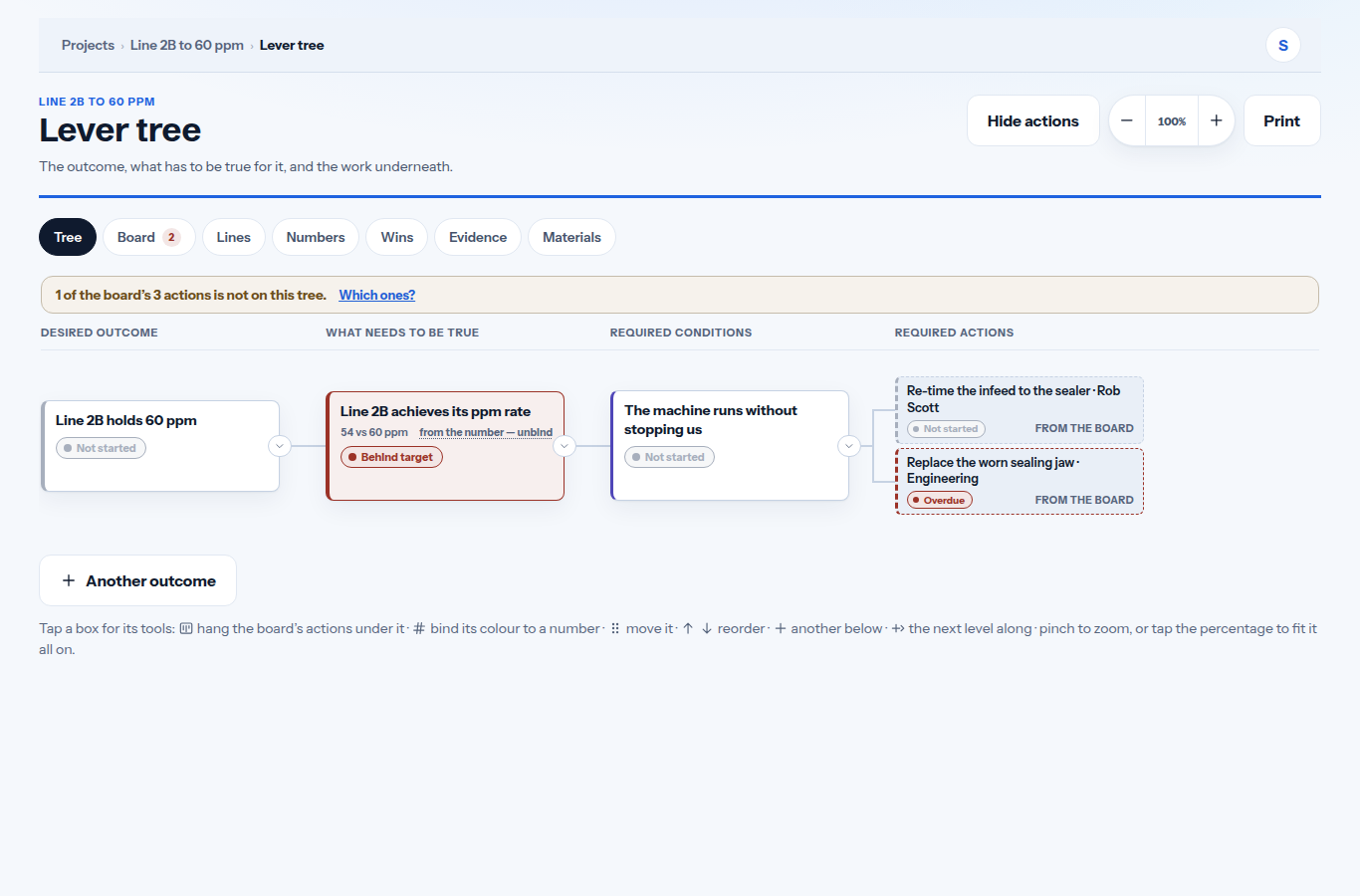
One number, worked down to what has to be true
The outcome, the conditions under it, and the work under each — every colour following its number or its actions.
The tree, read at a glance
A condition bound to a measure takes that measure's colour: behind target is red, on target is green. Work hung from the board shows the board's own state. The outcome and what is off track also show on the job's front page and on Home.
The story of the job, on paper
Built from the same records the screens show, in the same words — on screen first, then as a PDF to send.
What the client reads
Where the job is, the gates and each machine, what is late and whose it is, the plan, the tests and fixes or the board, the numbers against target and where the line is limited. A report that tells the story of the project, not a list of records.
To the client: "Here is exactly where your line is, and what each side owes before we meet again."
Common questions
Does it need sensors, integrations or an IT project?
No. Faultline is an installable web app on the phones and laptops a team already has.
Does it work on the floor with no signal?
Yes. Every screen works offline and syncs itself to the rest of the team when coverage returns.
Who sees what?
It is invite-only. A project's owner adds people by email, and they see that project on their own device.
Does it replace OEE or machine monitoring?
No — those see that a machine stopped. Faultline runs the change: what has to be done, who owes it, and whether it worked.
Faultline is invite-only. If you have been invited, create your account with the email the invitation went to.
Sign in to Faultline